15 / 15 — Job-costing app · Software Private demo
SiteBook by BillBook
Job costing and site records for contractors
A working private demo on sample data — shown to contractors one access code at a time.
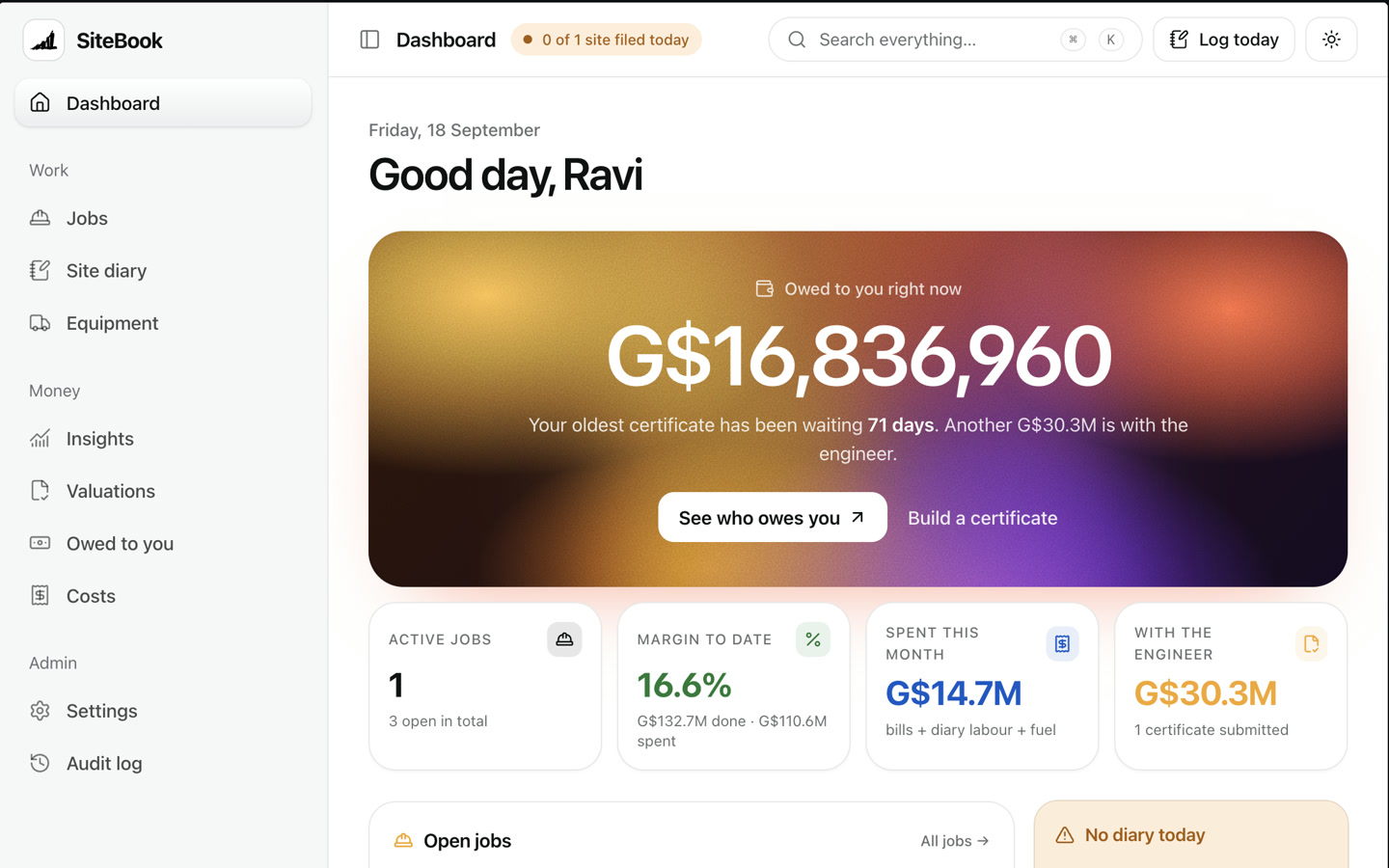
BillBook's second product, built for one industry: construction. Every job's valuations, costs and site diary live in one place — and the first thing a contractor sees each morning is how much they're owed, and by whom.
What we built
- A morning dashboard: money owed, margin and spend at a glance
- Jobs, BOQ and site diary for every project, plus one equipment list across all sites
- Payment certificates built straight from the diary
The standout
The foreman's diary builds the payment certificate
Each day the foreman logs the work done against the BOQ from a phone. SiteBook adds it up into the next interim payment certificate, works out retention and advance recovery, and prints it on A4 ready for the engineer to sign.
- 01 · LogThe foreman's diary, on a phone
- 02 · CostLabour + fuel fill themselves in
- 03 · WatchMargin, missed diaries, fuel
- 04 · ValueValuation to any date, pre-filled
- 05 · CertifyPrint the IPC, engineer signs
- 06 · Collect“Owed to you” until it's paid
circled — the part that makes it worth building
Inside the app
Screen by screen — what each part does.
Real screens from the working product, with the job each one does for the business.
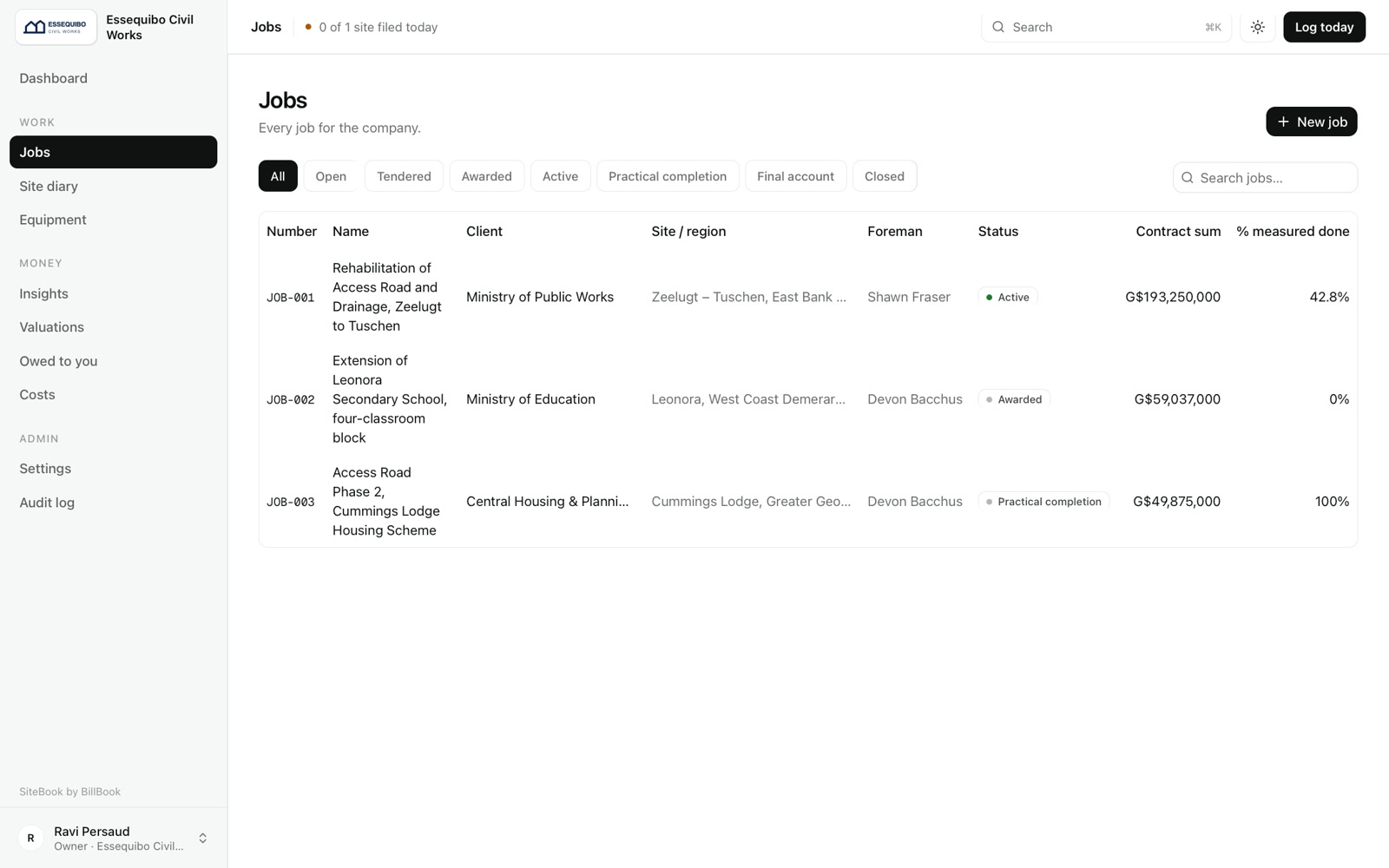
Jobs
Every job for the company
Client, site, foreman, contract sum and how much has been measured as done — tendered, awarded, active or closed.
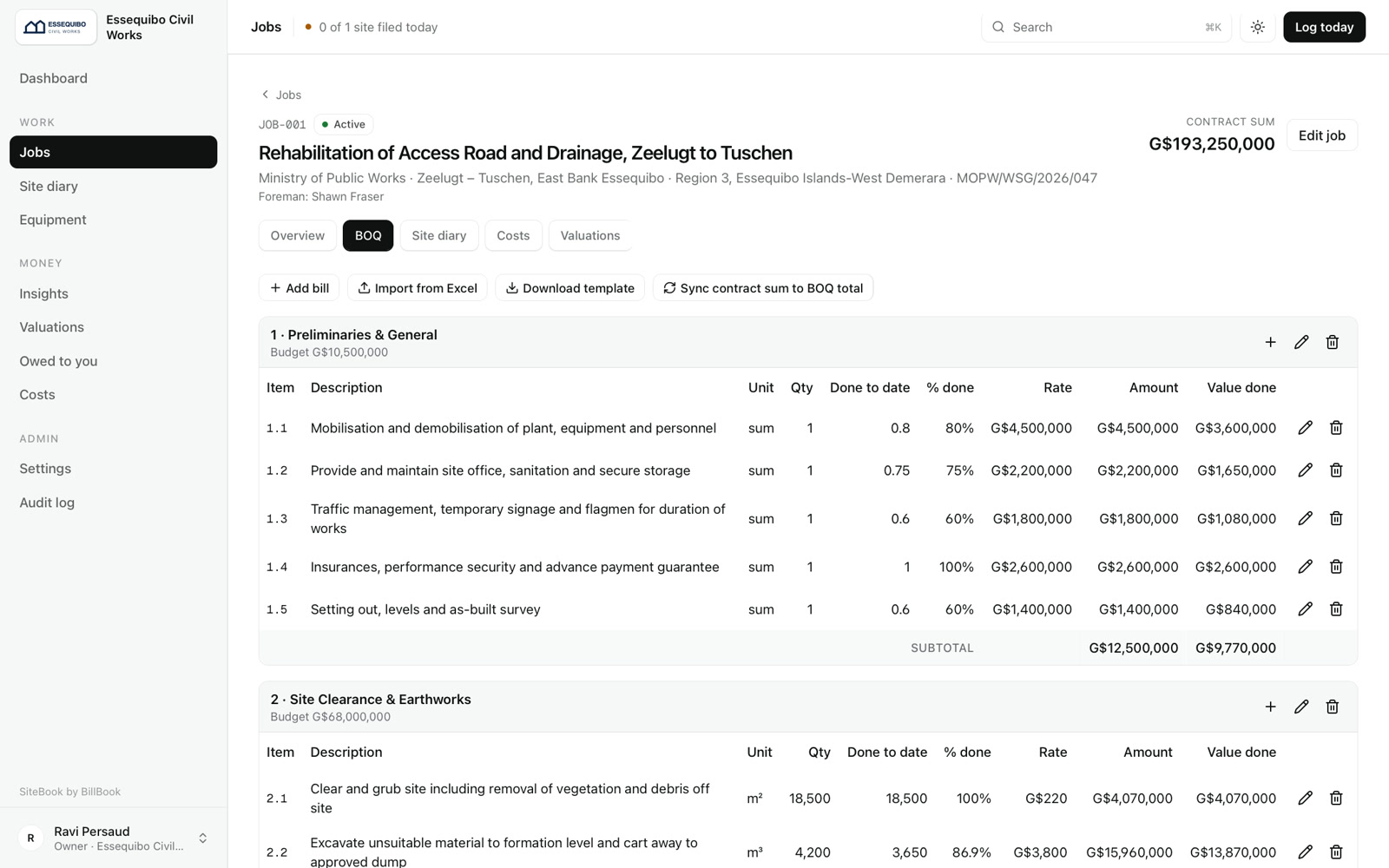
BOQ
The bill of quantities, alive
Imported from the tender's Excel file. Quantity done to date and value done update from the site diary, line by line.
Rates and amounts never reach a foreman's screen.
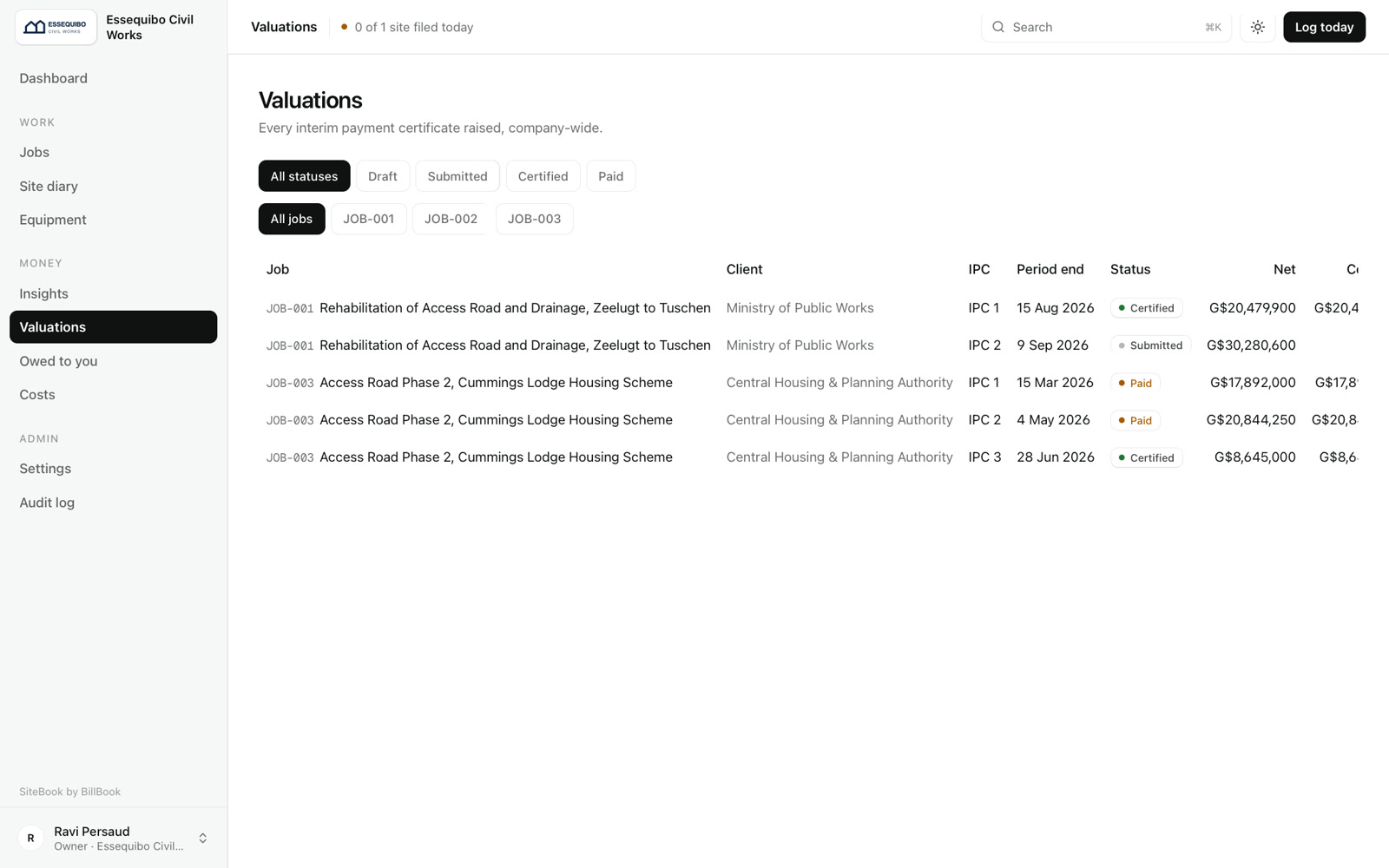
Valuations
Every certificate, every stage
Each interim payment certificate from draft to submitted, certified and paid, across every job.
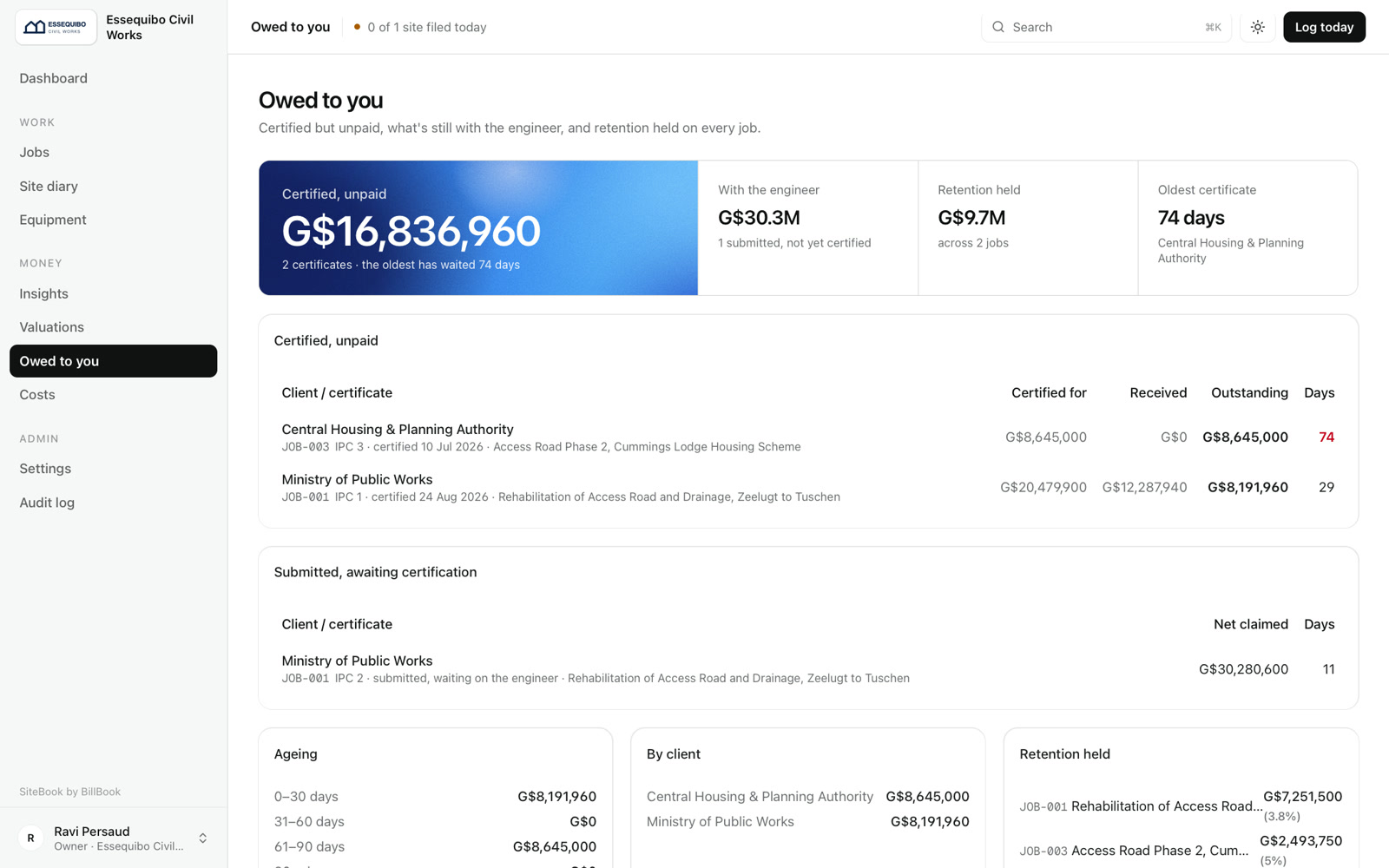
Owed to you
Who owes you, and for how long
Certified but unpaid, what's still with the engineer, and retention held — anything over 45 days shows in red.
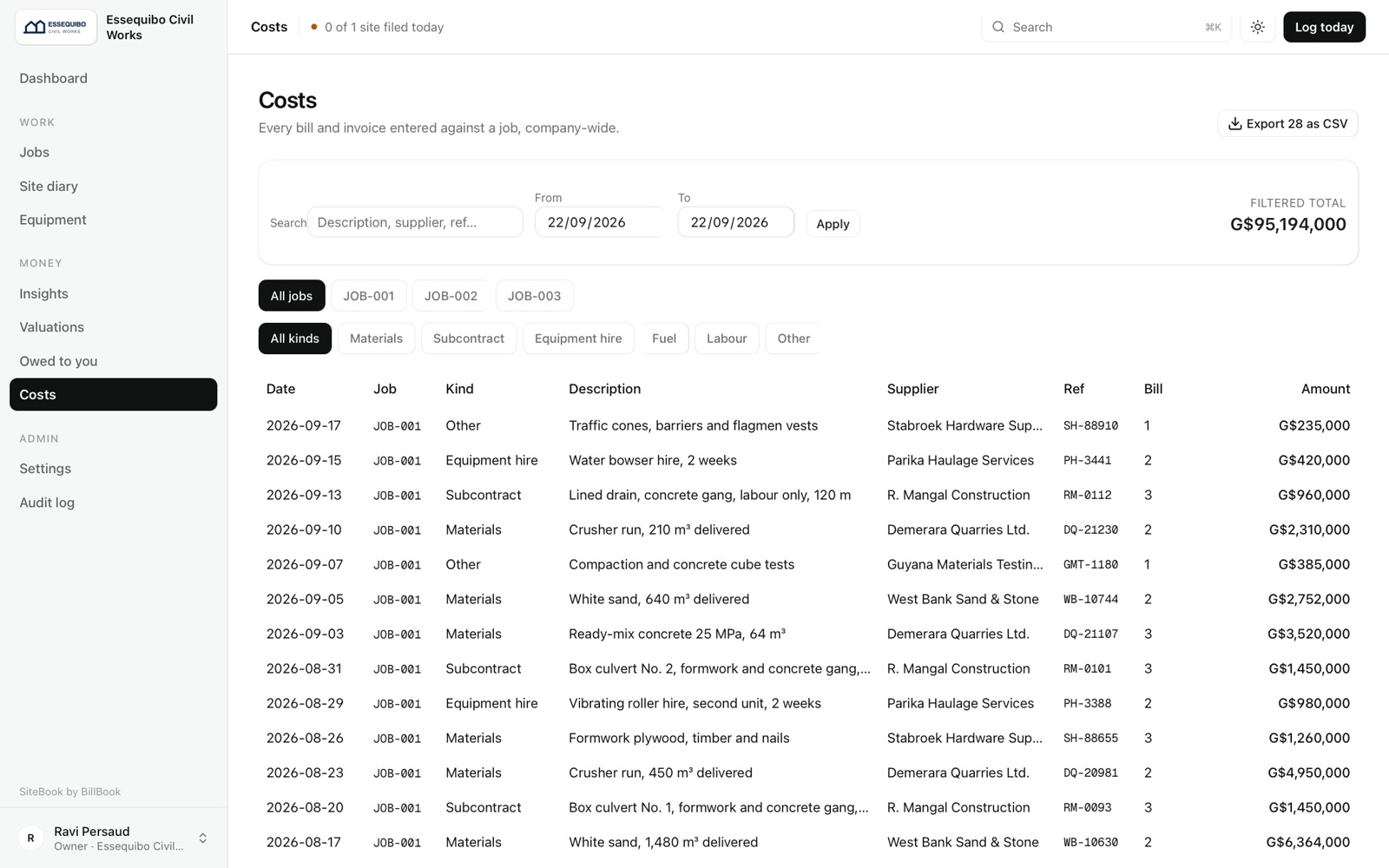
Costs
Every bill against a job
Materials, subcontract, equipment hire, fuel and labour, filtered by job and kind, and exported to CSV.

The breakdown
Everything it does, for the people using it.
11 things this product handles — most of them invisible until you need them.
What the team does in it
A phone-first site diary
Weather, stoppages, headcount by trade, machine hours, fuel, delivery photos and quantities done — and “Same as yesterday” fills the crew in one tap.
Jobs and BOQ from Excel
Each job's contract sum, client, engineer, retention and target margin. The tender BOQ imports straight from Excel, even the messy ones.
Valuations and printed certificates
Draft, submitted, certified, paid — and an A4 certificate with your logo, the amount in words and three signature lines.
“Owed to you”
Every certified-but-unpaid certificate with its days outstanding, totals by client, and retention held.
An equipment fuel check
A machine burning more than 25% over its expected litres an hour jumps to the top, with the extra diesel in litres and dollars.
What it handles for them
Costs that fill themselves in
Labour from diary headcount times day rates; fuel from litres times the fuel price. Supplier bills are checked against each BOQ section's budget.
Money hidden by role
Six roles. Foremen are never sent a rate, cost or margin — the server leaves them out, not just the screen.
Retention and advance rules
10% retention, capped at 5% of the contract; the advance recovered at 20% of each period — set per company, changeable per job.
An audit log
Every important change recorded with who made it and when.
Companies kept apart
Each contractor's data is walled off from every other company's.
A private hosted demo
One access code per prospect, their firm's name watermarked on screen, and fresh sample data every night.
Related serviceCustom software in Guyana →
Interlude.XI